XLSCOUT Platform Version Release 1.63
Major Updates in ClaimChart LLM
Deep Research 2.0 adds an evidence- review stage to the ClaimChart LLM workflow.
After product discovery, claim mapping, and ranking, the Evidence Review Agent checks how well the cited evidence supports each claim element in eligible reports. Each reviewed report receives a Deep Research Confidence (DR Confidence) rating of High, Moderate, or Low to help you prioritize your review. The workflow now runs in four stages:
- Mapping and ranking – Relevant products are identified, mapped to the selected claim elements, and ranked using a weighted average score.
- Report generation – Claim chart reports are generated according to the applicable scoring and report-generation rules.
- Evidence reviews– Reports with score 0.70 or above are checked against their cited evidence, claim element by claim element.
- DR Confidence – Each reviewed report receives a High, Moderate, or Low rating based on the evidence supporting its mapping.
Turn ON the Deep Research 2.0 in the search interface. The information tooltip explains its two main stages:
- Product Discovery & Claim Mapping: Finds a broader range of relevant companies and products. Each identified product is mapped to claim elements, scored, and ranked.
- Evidence Review: Checks how well the cited evidence supports each claim element in eligible reports and assigns a DR Confidence rating of High, Moderate, or Low.

Report Generation and Evidence Review Eligibility
Every generated report for a product scoring from 0.70 through 1.00 proceeds to evidence review. This applies to both ParaPICx reports and standard claim chart reports. Results below 0.70 are Not Reviewed and receive no DR Confidence rating.
- Weighted average 1.00 – ParaPICx reports, which include product images mapped to claim elements, are generated automatically for products scoring 1.00. If more than four products score 1.00 for a publication number, only one receives a ParaPICx report; the remaining products receive standard claim chart reports without image analysis. All generated reports proceed to evidence review.
- 0.70 to below 1.00 – The standard report-generation workflow is unchanged, and all qualifying generated reports proceed to evidence review.
- Below 0.70 – Existing below the threshold for Evidence review. These results are Not Reviewed and receive no DR Confidence rating.
Understanding DR Confidence
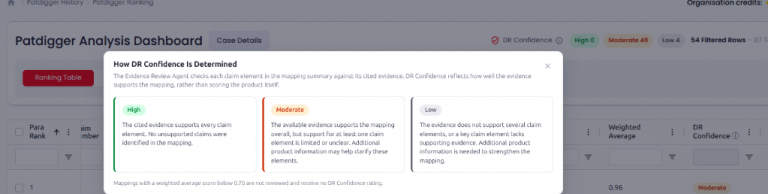
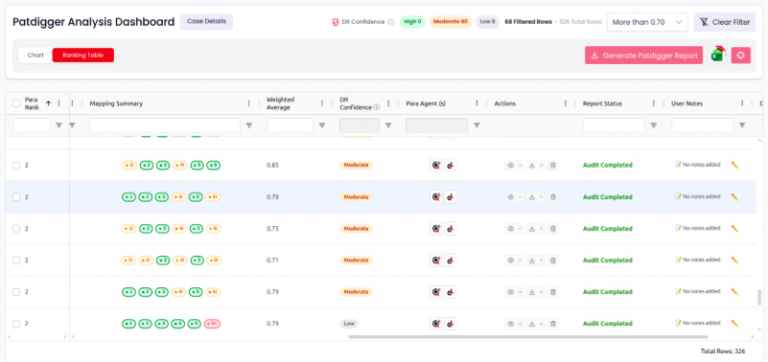
DR Confidence appears in the PatDigger Analysis Dashboard. It reflects how well the available product information supports the mapped claim elements. The rating depends on the availability and detail of that information.
- High: The available evidence clearly supports every claim element in the mapping.
- Moderate: The available evidence supports the mapping overall, but support for at least one claim element is limited or unclear.
- Low: The available evidence provides insufficient support for several claim elements or a key claim element.
Results below the 0.70 threshold are Not Reviewed and receive no DR Confidence rating.
DR Confidence is not the weighted average. The score decides eligibility for evidence review; DR Confidence reports its outcome.
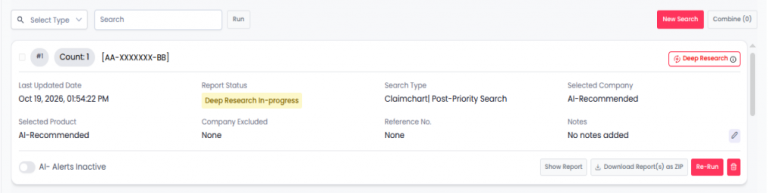
Targeted and AI- Recommended products
Deep Research 2.0 supports both search approaches:
- User-targeted: Investigate companies and products you select.
- AI-recommended: Discover relevant companies and products beyond your initial targets.
Both approaches use the same evidence-review threshold and report-generation rules. History and case-detail views show the search type, selected companies and products, and processing status.
- Deep Research In- Progress – processing still underway.
- Ranking Completed –Mapping and ranking have finished. Evidence review may still be pending or in progress.
- Audit Completed – Evidence review has finished for the applicable reports.
History cards for Multi-Publication Cases
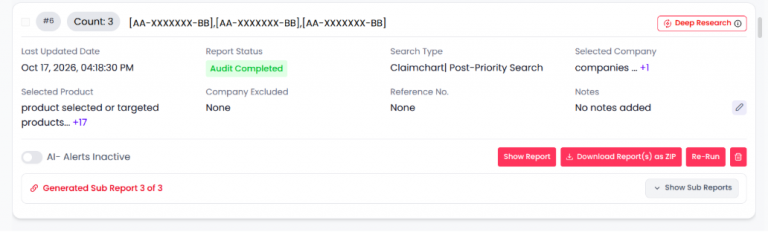
Cases containing multiple patent publications now display a parent card with expandable sub-cards.
- The parent card shows the overall case details, publication numbers, last updated date, report status, search settings, reference number, and notes. A Deep Research badge identifies cases using the enhanced workflow.
- Select Show Sub Reports to view the individual publication cards. The generated-report count shows progress, for example, Generated Sub Report 3 of 3.
- Each sub-card displays its publication number, processing status, search settings, and report actions.
- Publications are processed individually, so sub-cards within the same case may show different statuses. For example, one may show Ranking Completed while another shows Audit Completed.
- Report viewing, ZIP downloads, re-runs, and deletion remain available through the applicable card actions.
Sub Cards
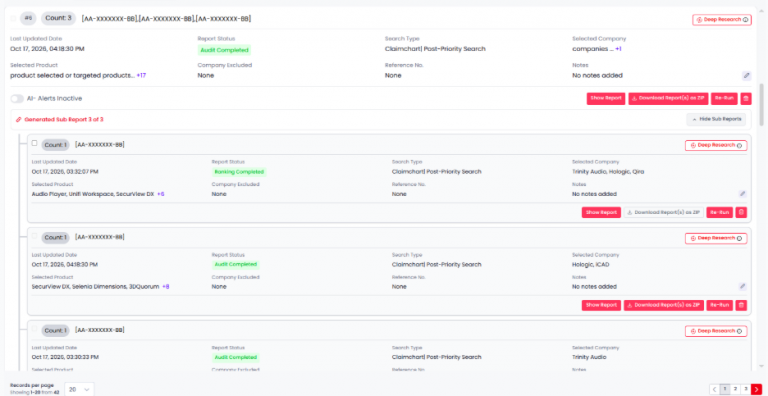
When a case covers more than one publication number, each publication number produces its own report, shown as a sub-card nested under the parent. A line such as Generated Sub Report 3 of 3 reports how many have been generated; Show Sub Reports / Hide Sub Reports expands and collapses them.
Each sub- card is a case record in its own right:
- Its own count, publication number, last updated date and report status.
- Its own search type, selected company and product, company excluded, reference number and notes.
- Its own Show Report, Download Report(s) as ZIP, Re- Run and delete actions, and its own Deep Research badge.
Because each UCID is processed on its own, sub-cards under one parent can sit at different stages – one at Ranking Completed while the others have reached Audit Completed. The parent gives the overall position; the sub-cards show which UCID is still moving and which has finished its audit, so a part- processed case is not read as complete.
Dashboard Updates
The dashboard displays the mapping score alongside the evidence-review outcome.
- DR Confidence counts: See the number of High, Moderate, and Low results in the current filtered view.
- DR Confidence column: Compare the rating with the Mapping Summary and Weighted Average.
- Rating explanation: Open the information icon to understand the ratings and review threshold.
- Existing controls: Continue using score filters, column filters, and report actions.
Results below 0.70 remain unrated and retain the neutral row appearance.
Analyze Up to 20 Patents and Download Results in One Excel File
Up to 20 Patents in one run
- Previously, Deep Research supported only one patent per run. With Deep Research 2.0, you can submit up to 20 patents in a single run.
- Each case follows the same report-generation and evidence-review rules and retains its own details and processing status.
Consolidated Excel Download
- Download Deep Research results and evidence-review findings in one Excel workbook.
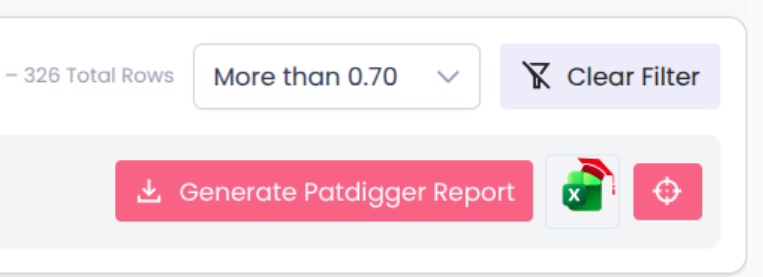
- A single Excel download icon beside Generate PatDigger Report replaces the two separate download buttons, making the mapping results, DR Confidence ratings, and supporting explanations available together.
- The consolidated download supports single-publication and multi-publication cases, where applicable.
ABOUTS US
XLSCOUT is an SOC2 Type II certified, integrated innovation & patent monetization platform at the forefront of the global innovation and IP industry, harnessing the potential of advanced Al technologies like Large Language Models (LLMs) and Generative Al for idea validation, optimizing ideation, creating high-value patents, and monetizing innovation.
- CANADA – Toronto, Ontario
Nucleus @ MaRS Waterfront, Waterfront Innovation Centre, Suite 200, Box 87 – 155, Queens Quay E, Toronto, ON M5A 0W4 - USA – Wilmington, Delaware
1000 North West Street Suite 1200 PMB # 4024, Wilmington DE 19801 - JAPAN – Chiyoda-Ku, Tokyo
XLSCOUT XLPAT G.K., Level 20, Marunouchi Trust Tower – Main 1-6-3 Marunouchi, Chiyoda-Ku, Tokyo, Japan – 100-0005 - INDIA – Mohali, Punjab
Unit 502-503, Tower A, 5th Floor, Bestech Business Tower, Mohali, Punjab – 160055 - GERMANY – Munich, Bavaria
Am Hirtenberg 13, 82064 Straßlach-Dingharting, Deutschland
Phone: +1 (647) 619-0002
Email: contact@xlscout.com
Copyrights © 2025 XLSCOUT. All Rights Reserved.